


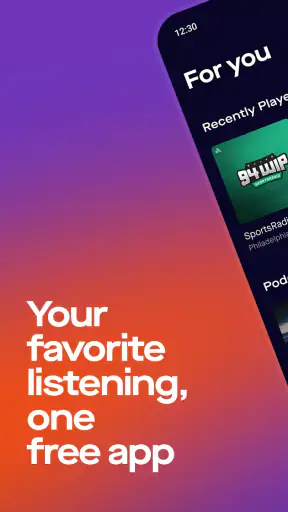
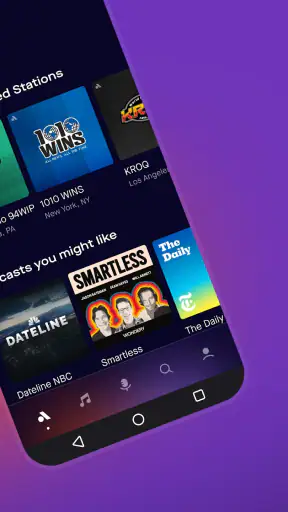
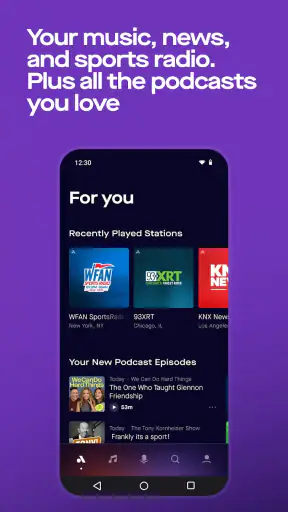
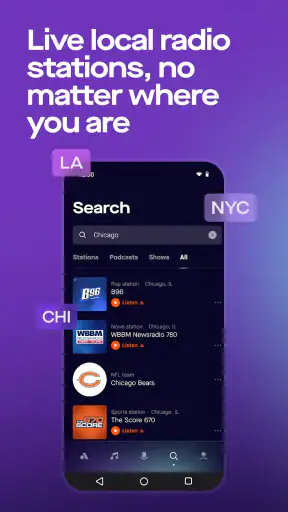
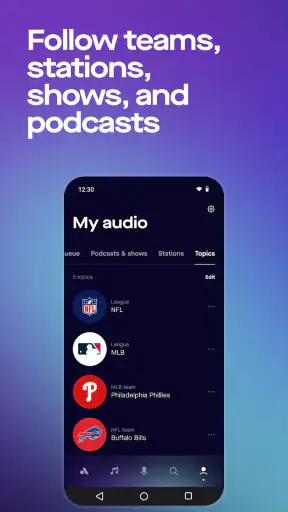
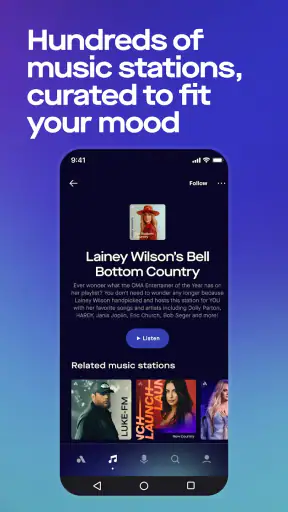
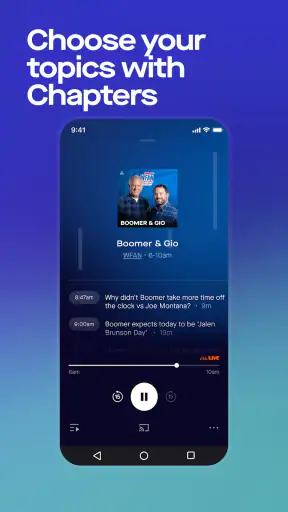
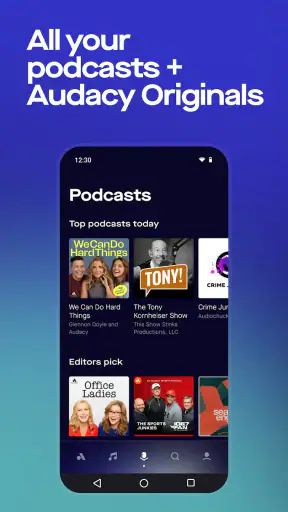
I approached Audacy: Radio & Sports Talk as an everyday listening app rather than something to open only when I wanted a particular song. Its real appeal is the mix of live radio, podcasts, news, music, and sports talk in one place. That combination makes it useful during a commute, while cooking, or when I want spoken coverage in the background without choosing a video.
Audacy, Inc. has kept this Music & Audio app available for a long time, and its broad audience is reflected in more than five million installs. It is free to use, carries a Teen content rating, and runs on Android versions from 7.0 onward. The current version is 2026.06.01, so the app remains an actively presented option for people who want radio-style listening on a phone.
My overall impression is mixed in a useful way. I like the range of listening choices and the fact that radio remains central instead of being treated as an afterthought. At the same time, the experience is not equally comfortable for everyone. A person who relies on clear navigation, large touch targets, predictable playback, or low-stimulation screens may need patience. The average rating of 3.1, based on roughly 45 thousand ratings, also suggests that the app has not satisfied every listener.
How Audacy works for different listeners and situations
Readability and navigation during ordinary use
The first thing I look for in an audio app is whether I can reach something to play without having to study the screen. Audacy’s purpose is understandable: I can browse radio stations and move between live programming, podcasts, music, news, and sports talk. That broad selection is its biggest strength, but it also creates a navigation trade-off. An app with several audio formats has more choices to organize than a single-purpose podcast player or a basic radio tuner.
For me, the best way to use it is to decide what kind of listening I want before opening it. If I am looking for live conversation, I head toward talk or sports content. If I want something I can pause and return to later, podcasts make more sense. This simple habit reduces the amount of scanning and prevents me from jumping between unrelated sections. It is a small workflow, but it matters for anyone who finds crowded menus tiring.
Text readability depends on the device and system settings, so I would not treat the app as automatically comfortable for every reader. People with reduced vision should check whether labels remain clear after enlarging the phone’s text and display settings. A good audio app should let the listener focus on playback rather than deciphering small labels, and Audacy sometimes feels more like a content catalogue than a calm, minimal player.
That distinction is important. A dedicated podcast app is usually easier when the goal is to follow a small set of shows. A music service can be more efficient when I already know the artist or playlist I want. Audacy is better when I want discovery through radio or when the appeal is hearing live programming, local-feeling coverage, and sports discussion rather than building a carefully controlled personal library.
I also recommend taking a moment to learn the visual hierarchy instead of tapping quickly through the first screen. When several content types are presented together, a rushed tap can send me into a different kind of listening than I intended. For users with cognitive or attention-related needs, this is one of the more meaningful accessibility questions: the app offers variety, but variety can become mental clutter.
Touch, hearing, and sensory considerations
Because this is an audio-first app, it can work well for someone who prefers information without a video component. I can listen while looking away from the phone, which is useful for people who experience visual fatigue or who simply need to keep their hands and eyes occupied elsewhere. News and sports talk are especially practical in that setting because the spoken format carries the main value.
That advantage does not remove the need for visual controls. Starting, pausing, changing content, and recovering from an accidental tap still require interaction with the screen. Someone with limited dexterity may find repeated small touch actions frustrating, particularly when trying to change stations or move between content areas one-handed. I found that deliberate taps are safer than trying to operate the app quickly while walking or carrying something.
For listeners who are hard of hearing, the app’s usefulness will vary by content rather than by the presence of audio alone. A talk program may be easier to follow when the speaker is clear, while fast sports commentary, overlapping discussion, or noisy broadcasts can be demanding. I would not choose Audacy as my only source of important information if I needed dependable text alternatives for every spoken segment.
The same issue applies to people sensitive to sudden sound changes. Live radio can be less predictable than a carefully edited podcast or a downloaded playlist. I prefer to start listening at a moderate volume and adjust gradually, especially when switching between stations or formats. Headphones with their own volume controls can help, but that is a workaround rather than a feature I would credit directly to the app.
There is also a sensory benefit to audio that deserves attention. I can use Audacy without staring at a bright display, which makes it more comfortable at night or in a dark room than a video-heavy news or sports service. Still, the phone may remain visually active while I browse, so anyone trying to reduce screen exposure should choose the content first and then put the device aside.
Using it while commuting, working, or sharing space
A realistic example is a weekday morning when I am preparing breakfast and getting ready to leave. I can open Audacy, choose a live station or spoken program, place the phone where I can hear it, and continue with the routine. The app fits this situation better than a video platform because I do not need to watch anything. It also gives me more immediate variety than a podcast queue if I want to hear what is happening now.
That same scenario reveals a limitation: live listening depends on the conditions around me. In a noisy kitchen, quiet speech can disappear under appliances, while raising the volume may disturb other people. In a shared office, library, or waiting room, headphones become necessary. Anyone who needs a completely silent or discreet experience should consider whether their headphones are comfortable for long sessions and whether they can operate the controls without repeatedly looking down.
For commuting, I would set up the content before moving rather than browse while walking, cycling, or driving. The app is not a substitute for safe hands-free habits. Live radio is a good companion when I want company or current discussion, but it is less suitable when I need a precise, uninterrupted sequence. A downloaded podcast or music queue from another service may be the better choice for a journey where connectivity or concentration is uncertain.
At home, Audacy works well as background listening. I can use music while doing chores, switch to news when I want spoken updates, or choose sports talk during a game-related discussion. The broad catalogue means I do not need separate apps for every mood. The trade-off is that a larger catalogue can make the experience feel less focused than a simple station app.
Parents and caregivers should also remember the Teen content rating. That does not tell me that every program is unsuitable for every family, but it is a reason to choose content deliberately rather than handing over the phone with the assumption that all audio will be family-oriented. The same caution applies in workplaces and public spaces, where talk programming may include subjects or language that are not appropriate for the surrounding audience.
Practical workflows that make the app easier to live with
My first useful tip is to separate “live now” listening from “I want to finish this later.” Radio is strongest when I want immediacy and spontaneity. Podcasts are better when I want control over the pace of my day. Treating those as two different workflows makes the app feel less confusing and helps me avoid expecting a live station to behave like an on-demand queue.
My second tip is to use a short listening test before committing to a long session. I check that the intended content is clear at a comfortable volume, that the phone is receiving audio reliably, and that I can find the playback controls without searching. This is particularly helpful for older listeners or anyone with motor limitations, because it identifies friction before the app becomes part of a busy routine.
My third tip is to choose content according to attention level. When I am doing repetitive chores, sports talk or news can be engaging. When I am writing or studying, spoken discussion may compete with concentration, and music may be less distracting. Audacy’s value is not simply the number of formats; it is the ability to match a format to the task without leaving the app.
A fourth trade-off is control versus discovery. A curated playlist gives me predictable transitions and a known mood. Audacy gives me the feeling of turning on the radio and finding something already in progress. I would recommend it to someone who enjoys that element of surprise, but not to a listener who becomes frustrated when the next piece of audio is outside a carefully chosen theme.
Where the experience still creates barriers
The main barrier I felt was not the basic idea of the app but the amount of interpretation required. Radio, podcasts, music, news, and sports talk serve different needs, and moving among them can be less direct than using separate specialist apps. People with cognitive disabilities, limited attention, or low tolerance for changing layouts may prefer a simpler product with fewer destinations.
Another barrier is the difference between listening and controlling. Once audio is playing, I can often treat the phone as a source of sound. Before that point, I need to read labels, choose a category, and operate touch controls. Users with visual or motor impairments may need system-level assistance or a patient setup routine. I would not describe the app as unusable, but I also would not assume that its audio focus automatically makes it accessible.
Live content can introduce its own uncertainty. A station is not the same as a personal collection: the topic, pacing, and sound level may change without my planning it. That is part of the appeal for some listeners, yet it can be a problem for people who need consistent sensory conditions or who cannot easily react to unexpected content. In those cases, a controlled podcast or music player is likely the safer recommendation.
There is also a practical question about device age. The minimum requirement of Android 7.0 makes the app available to many older phones, which is helpful for people who do not replace devices frequently. However, an older handset may still make browsing, text scaling, or multitasking feel less comfortable than on a newer screen. I would judge the experience on the complete setup, not only on the operating-system requirement.
The free price is a real advantage for trying it without a financial commitment. It lowers the barrier for casual listeners and for someone who wants to compare live radio with a paid music subscription. Still, free access does not guarantee that every listener will prefer the interface or the content flow. I would install it as a supplement first, then decide whether it deserves a regular place in my listening routine.
Who I would recommend it to
I would recommend Audacy to people who want one free app for live radio and spoken programming, especially listeners who move between news, music, and sports talk depending on the day. It is also a good fit for someone who likes passive listening and does not need to build every minute of audio in advance.
It suits a commuter who wants company, a sports follower who enjoys discussion around games, and a person who prefers audio while doing household tasks. It can also be useful for listeners who want to reduce screen time because the main experience continues after the initial selection.
I would be more cautious recommending it to someone who wants a highly polished, minimalist interface, guaranteed control over every track, or a completely predictable listening environment. A dedicated podcast player is likely better for managing subscriptions and episodes. A music-focused service is usually better for playlists and artist-led discovery. A simple radio application may be preferable for someone who wants only stations and no broader catalogue.
My inclusive verdict after using it
Audacy is at its best when I treat it as a flexible audio companion rather than a perfect replacement for every listening tool. Its mixture of radio, podcasts, music, news, and sports talk gives it a clear advantage over narrow alternatives, and the free model makes experimenting easy. The developer, Audacy, Inc., has built an app with a wide practical range, from background music to live spoken coverage.
Its inclusive value is more uneven. Audio-only use can reduce visual demand, and the broad content mix supports different routines, but navigation, touch control, changing live content, and sensory unpredictability may still create real friction. I would encourage users with accessibility needs to test it during the exact situation in which they plan to listen: in a noisy room, during a commute, with enlarged text, or using one hand.
After that test, the decision is fairly clear. If I want spontaneous radio and varied talk content in a single free app, I would keep Audacy installed. If I need maximum control, the simplest possible navigation, or dependable alternatives to spoken audio, I would choose a more specialized service. Its strongest quality is flexibility, but its most important limitation is that flexibility can make the experience harder to navigate.


